Ad Campaigns/Walkthrough

Walkthrough · Ad Campaigns

Stage it, publish it paused, watch the numbers come back.

Every ad the studios make lands in one campaign, gets staged per platform, and publishes paused to Meta, Google Performance Max and TikTok. Here's the whole walk, from the sidebar to the client's ad account and back.

The whole walk · seven stops

From a produced ad to a paused campaign — and back to the next ad

Seven stops, in the order the page runs them. Where it is, how a campaign gets created, how you work the bench, how creatives get staged and published, how performance lands, and how the loop turns.

1. Open Ad Campaigns
sidebar → Ads & Commerce → Ad Campaigns
2. Create a campaign
one home for every concept
3. Work the bench
cherry-pick, search, tweak, remix
4. Stage per platform
the platform icon on a card
5. Publish paused
nothing spends until you switch it on
6. The numbers come back
onto the exact creative
7. Improve
Campaign Pulse says what's next

You've got a dozen finished ads for the client, and they need to be live by Friday.

Ad Campaigns is in the sidebar under Ads & Commerce, once you've picked the client's kit. Here's exactly where to click.

Step 1 · Open Ad Campaigns

It's in the sidebar, under Ads & Commerce

Pick the client you're working on. Then open Ads & Commerce in the left sidebar and click Ad Campaigns. The page has three zones: the campaign list, the ads inside one, and the publish controls.
1Pick the client's brand kit
on the dashboard — campaigns are kit-scoped
2Sidebar → Ads & Commerce
the section: connectors, then Ad Campaigns and Ecom Creatives, then the studios
3Ad Campaigns
the middle group — or the hub card Create · Ad Campaigns
Campaign types · Two ways to make ads
Campaign Ads Project
Proven single-image ad formats, your brand — A/B/C boards, produce, publish everywhere.
Carousel Ads Project
Swipe-story ads born as one seamless design — storyboard, produce the cards, animate the cover, publish to Meta and TikTok.
New project
The ad platforms
G
Google PMax
Performance Max campaigns with image and video assets across Search, Display, YouTube and Shopping.
M
Meta Andromeda
Meta ad campaigns for Facebook and Instagram — statics, carousels and video at scale.
T
TikTok Ads
TikTok-native video ads and carousels, built for the short-form format.
Connected once on the kit's Ad Platforms page by an owner or admin. Once connected, the whole team can publish.
The campaign lists
StyleForge Carousel Ads · Carousel Campaigns
Carousel campaign card 1
Carousel campaign card 2
Carousel campaign card 3
Summer Drop — Carousel
4 cards · staged for Meta
StyleForge Campaign Ads · Ad Campaigns
Ad campaign card 1
Ad campaign card 2
A film in the campaign
Summer Drop — Ads
statics + a film · published · paused
Single-image campaigns publish to Meta, PMax and TikTok. Carousel campaigns publish to Meta and TikTok.

First, you give the campaign a name, and everything made for it has a home.

Ad Campaigns takes creatives from every studio, the ad apps, the canvases and Claude, by the campaign's name.

Step 2 · Create a campaign

Click New project, name the campaign, and it becomes the home every concept lands in

New project asks which kind — a Campaign Ads project or a Carousel Ads project — and a name. Or create a campaign directly with Create Campaign, a name and a line of description. From then on, everything made for this client can be sent here: from the studios with Add to the campaign, from the ad apps and canvases with Save to Ad Campaign, or by telling Claude the campaign's name. Same name attaches; a new name creates. It never duplicates.

Create a New Ad Campaign
Campaign Name
Summer Drop — Ads
Description
Brief description of this campaign...
Create Campaign
One campaign, one client, as many concepts as the brief needs. Name it the way you'll say it to the client.
Where the creatives come from
Campaign Ads
Add to the campaign on any finished ad
Carousel Ads
the heart on a set adds the whole sequence, in order
Cinema Ads
a film from the Film Assembly
The ad apps & canvases
Save to Ad Campaign from Ad Variations, Winning Ad, the canvases
Claude
“save these to Summer Drop — Ads” — an existing name attaches, a new one creates
They all land on the same bench, with the copy they were written with.

Then you work the bench — keep the winners, fix the small things, drop the rest.

The workbench is the whole campaign on one screen, with search that reads the ads and their numbers.

Step 3 · Work the bench

The workbench is the whole campaign on one screen — cherry-pick, search, tweak, remix

Open the campaign and every creative made for it sits in one grid: statics, carousels, films, with the copy they came with. Heart the keepers and drop the rest. Search the bench by what's in the ads or how they've performed — the search box understands “ads with a woman” and “my winning ads” alike. Crop and retouch an image or trim a video right here, remix any ad in place with the AI Variation Generator, and save a keeper to the brand kit for next time.

Brand Kit: the dress clientCampaign: Summer Drop — AdsM filterG filterT filter
ads with a woman, in the field
Search
A creative on the campaign workbench, 1 of 6
M
A creative on the campaign workbench, 2 of 6
MG
A creative on the campaign workbench, 3 of 6
A creative on the campaign workbench, 4 of 6
T
A creative on the campaign workbench, 5 of 6
M
A creative on the campaign workbench, 6 of 6
The search reads the ads themselves — “illustrated ads”, “headline about profit” — and their numbers — “my winning ads”, “ads below 0.5% CTR”, “highest spend”. The marks in the corners are where each creative is staged.
On every card
Heart the keepers
Crop & retouch images
Trim, adjust & crop video
Remix any ad in place
Duplicate
Save to brand kit
Remix opens the AI Variation Generator with this ad as the source — new takes land back on the same bench.

You stage each creative for the platforms it's going to run on.

One click on the platform icon. The tray collects what's staged and tells you what's missing.

Step 4 · Stage per platform

Click the platform icon on a card and it's staged — the tray tells you when it's ready

Each card carries three small platform icons. Click the Meta icon and the card is staged for Meta; PMax and TikTok work the same way, and one creative can be staged for all three. The platform tray collects what's staged, keeps a carousel's order, and reads Ready to publish — or lists the missing requirements plainly, like a headline or a video thumbnail, before you can go on.
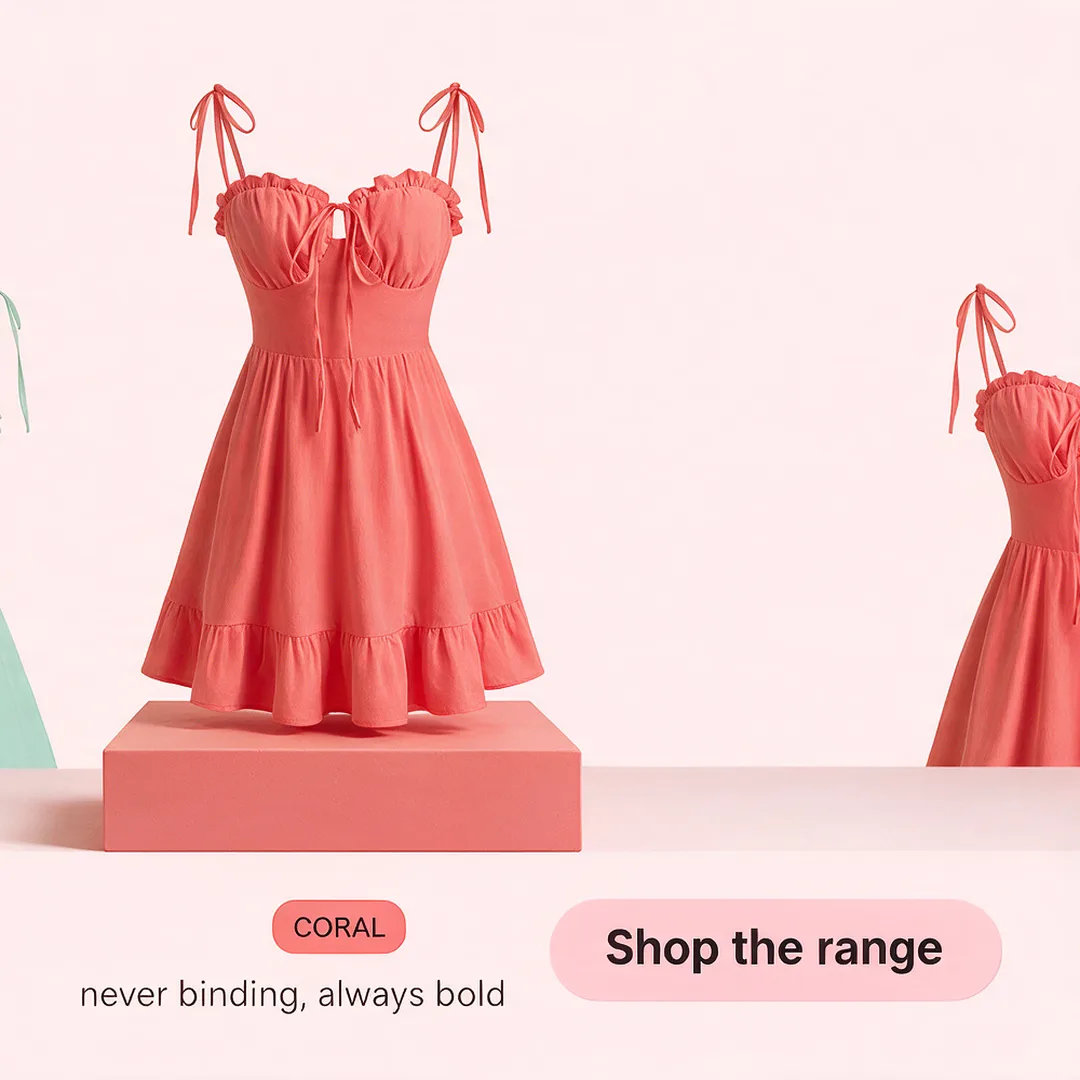
A card, staged
A finished static ad on the workbench
MStaged for MetaGT
Add to Meta Campaign · Add to PMax Campaign · Add to TikTok Campaign — the same click on every card. Click again to remove.
MMeta · staged for publishingClear AllReady to publish
Staged creative 1
Staged creative 2
Staged creative 3
Staged creative 4
1
Staged creative 5
2
Staged creative 6
3
Staged creative 7
4
The carousel keeps its order
cards 1–4 ship as one carousel unit, in the order you approved
Missing requirements are named
a video without a thumbnail, an ad without a headline — the tray says so before you can publish
Three trays, same shape
Meta, Google PMax and TikTok each collect their own staging; TikTok takes up to 35 images in a carousel and its own music

You publish, and it lands in the client's ad account paused.

Each platform's real controls, saved as the kit's defaults. Nothing spends until someone switches it on in the console.

Step 5 · Publish paused

Publish from the tray — every platform object is created paused, so nothing spends until you switch it on

Each tray publishes with the platform's own controls: budget, targeting, the conversion event, the copy. Google Performance Max writes its text for you from a concept or the landing page, and you edit it. TikTok can score a carousel with on-brand music. Whatever you set can be saved as the kit's defaults for next time. And every campaign, ad set and ad is created paused — you turn it on in the platform's own console, when you're ready. That's the spend gate, and it never moves.

MMeta
Daily budget & target country
Conversion event — Purchase, Lead, Add to Cart, Registration
Meta Pixel, saved to the kit
Special ad categories — Housing / Employment / Credit
Per-asset headlines
Save your settings as brand-kit defaults
GGoogle Performance Max
The AI writes the text — 15 headlines, 5 long headlines and 4 descriptions from a concept or your landing page, all editable
Search themes, sitelinks & negative keywords
Locations and languages
Budget & bidding — Max Conversions or Value, Target ROAS or CPA
Logos handled — square and landscape
Add to an existing campaign, or run a challenger A/B
Final URL + conversion tracking
TTikTok
Carousel music — generate on-brand or upload your own
Campaign + ad-group budgets
Objective — Traffic / Reach / Video Views
Frequency cap & schedule
Locations and languages
Caption, call to action and landing URL
Save your settings as brand-kit defaults
Published · paused
the campaign is in the client's ad account as a draft — the copy carried, the order kept. A person switches it on in the console. Nothing has spent.
Team members can publish once an owner or admin has connected the platform.

Once it runs, the numbers come back onto the exact creative.

Impressions, clicks, reach, conversions, on the card, refreshed on a schedule. Winners get badged.

Step 6 · The numbers come back

Once it runs, performance lands on the exact creative that earned it

Turn the campaign on in the console and the numbers start coming home — onto the card, not into a spreadsheet. Each creative shows its own impressions, clicks and reach from Meta, conversions from Google, likes, shares and average play from TikTok, refreshed on a schedule. Winners get badged; ads that need a look get flagged for review. And campaigns your client ran before StyleForge, or straight in Ads Manager, sync in as first-class campaigns — same cards, same numbers, badged External.

Meta Performance · on the card
A published ad with its performance
WINNERM
Impressions:12,480
Clicks:312
Reach:9,120
Frequency:1.4
illustrative numbers — the card shows the platform's own
M
Meta
Impressions · Clicks · Reach · Frequency
G
Google PMax
Impressions · Clicks · Conversions
T
TikTok
Impressions · Clicks · Likes · Shares · Avg. Play
Meta Campaigns · the performance view
All CampaignsWinners OnlyNeeds Review
Summer Drop — Ads
Summer Drop — AdsWINNER
Summer Drop — Carousel
Summer Drop — CarouselActive
Spring Edit · External · Meta
Spring Edit · External · MetaREVIEW
External campaigns are already live, so publishing is disabled on them — but their numbers, their creatives and their settings are all here.

Then Campaign Pulse tells you what to do next, and the next ad starts from the winner.

What needs attention, what's working, what shipped, and a Stage button that opens the fix.

Step 7 · Improve

Campaign Pulse answers Monday's three questions — what needs attention, what's working, what shipped

Command · Campaign Pulse on the kit is the seat for the person responsible for performance. It watches the connected Meta account and flags what needs attention — a creative fatiguing, a loser still spending, a winner that's plateaued — with the numbers behind each finding and two buttons: Stage the fix, or Dismiss. Below it, the winners with their trend, and the ledger of everything that shipped and who shipped it: your team, your AI agent, or the client directly. Stage a fatigue fix and it opens the workbench with the recasts queued. That's the loop — the numbers come back, and the next ad starts from the one that won.

What needs my attentionre-checked every 15 minutes
A creative flagged for fatigue
Creative fatigue
frequency creeping up while click-through decays over the last week — the audience has seen this one.
StageDismiss
Stage opens the campaign workbench with fresh variations of this ad queued. Empty queue reads “All clear” — and that's the point.
What's working
the portrait static
the portrait static
↑ week over week
the lineup carousel
the lineup carousel
steady
Winners with their trend — and a Remix that runs on the same platform that made the ad.
What shipped
Teampublished the Summer Drop statics
Agentpublished the lineup carousel, paused
Externalthe Spring Edit, synced from Meta
The ledger, day by day. Plus a Client Report on demand, and Ask anything grounded in the account's own numbers.

Or you say the whole thing to Claude, and it publishes paused after you confirm.

By the campaign's name, with the assets and copy shown first. The pulse is in the conversation too.

Or · Say it to Claude

Claude publishes by name, paused, after you confirm — and holds the same pulse in conversation

Everything above can be said instead of clicked. Claude saves creatives to a campaign by its name, stages them, and publishes to Meta as a paused draft — after showing you exactly what will go up and waiting for your confirmation. It reads performance back against the same cards, tells you what needs attention, and can stage the fix and generate the recasts in the same conversation. The page and the chat can never disagree; they read the same account.

“Save the three hearted statics to Summer Drop — Ads and publish them to Meta as a paused draft. Show me what goes up first.”

runs it
the campaign, by name → the assets and the copy, shown → your yes → published paused → the numbers back on the same cards
Publish 1, 4 and 6 to Meta as a paused draft
Claude shows the assets, the copy and the budget, waits for your yes, then publishes paused
Give me the lowdown on the client
attention items, winners, week-over-week, the ledger
Which ad is carrying the spend?
per-ad numbers from the same data the page shows
Stage the fatigue suggestion and generate the recasts
accepted with a decision trail, five fresh variations, a paused draft if you say so
What did the agent publish while I was out?
the ledger, filtered to the agent
Generate the client report
the client-ready report as a hosted link, live for seven days
Good to know
  • Connect the platforms first. An owner or admin connects Meta, Google PMax and TikTok once on the kit's Ad Platforms page; from then on the whole team can publish.
  • Every publish lands paused. Campaigns, ad sets and ads are created paused on every platform. Switching them on is a person's click in the platform's own console.
  • Campaign Pulse watches Meta today. Google PMax and TikTok performance shows on the cards; the attention queue and the ledger cover Meta.
  • External campaigns sync in as first-class campaigns, badged External. Because they're already live, publishing is disabled on them.
  • Claude publishes to Meta, and only after showing you the assets, the copy and the budget and getting your confirmation. Google PMax and TikTok publishing is done on the page.
The walk loops — create, publish, measure, improve, then around again. What you learn from a live ad flows into the next creative.
Open Ad Campaigns

Pick the client's kit. Create the campaign. Stage, publish paused, and let the numbers come back.