Walkthrough · Carousel Ads
One story, told card by card.
A one-line brief becomes three swipe-story storyboards, finished cards in order, an animated cover, and a carousel staged to publish. Here's the whole walk, from the sidebar to Meta and TikTok.
The whole walk · seven stops
From a one-line brief to a carousel staged to publish
Seven stops, in the order the studio runs them. Where it is, what you type, what comes back, which board you choose, how you change a card, how the cover gets its motion, and where the winners go.
You're building a carousel for your client's new drop, and you need it this week.
StyleForge Carousel Ads lives inside Creative Studio, right under Campaign Ads. Here's how you get to it.
Step 1 · Open Creative Studio
Create → Creative Studio, then pick StyleForge Carousel Ads 1.0 from the model menu
In the sidebar, open Create and click Creative Studio. At the bottom of the studio is the model button — click it, stay on the Image tab, and choose StyleForge Carousel Ads 1.0, the one with the STUDIO badge. The bar above the brief field is now the carousel bar, and a Cards counter appears at the bottom. Here's what's on it.
Once you're in the studio, you tell it what you're selling and the story the swipe should tell.
Carousel Ads takes one line, your product photos and a card count. Your client's brand kit does the rest.
Step 2 · Write the brief
One line about the product and the story the swipe should tell. Attach the photos. Generate.
Say what you're selling and what the carousel should argue — a reasons list, a day in the dress, the whole range. Attach the real product photos with the plus: they're the visual law, so the shape, the colours, the pattern and the label hold across every card. Set the card count, then Generate Concepts.
A minute later, you have three storyboards to choose from, each a complete swipe story.
Carousel Ads picks three swipe-story formats and writes every card's copy, hook to shop.
Step 3 · Get A/B/C storyboards
Three storyboards come back — three different swipe stories, every card already written
A minute later you're looking at three sketched storyboards, cheap on purpose. Each is a complete carousel in a different format from a library of over thirty swipe stories — card one hooks, the middle builds, the last card lands the shop. The copy for every card is written. You're choosing the story, not just a picture.
You choose board A, and the cards for board A come back in swipe order.
Approve & produce renders the board. A seamless board is born as one wide artwork and cut into cards.
Step 4 · Choose a board
Pick the board you want, click Approve & produce, and the cards come back in swipe order
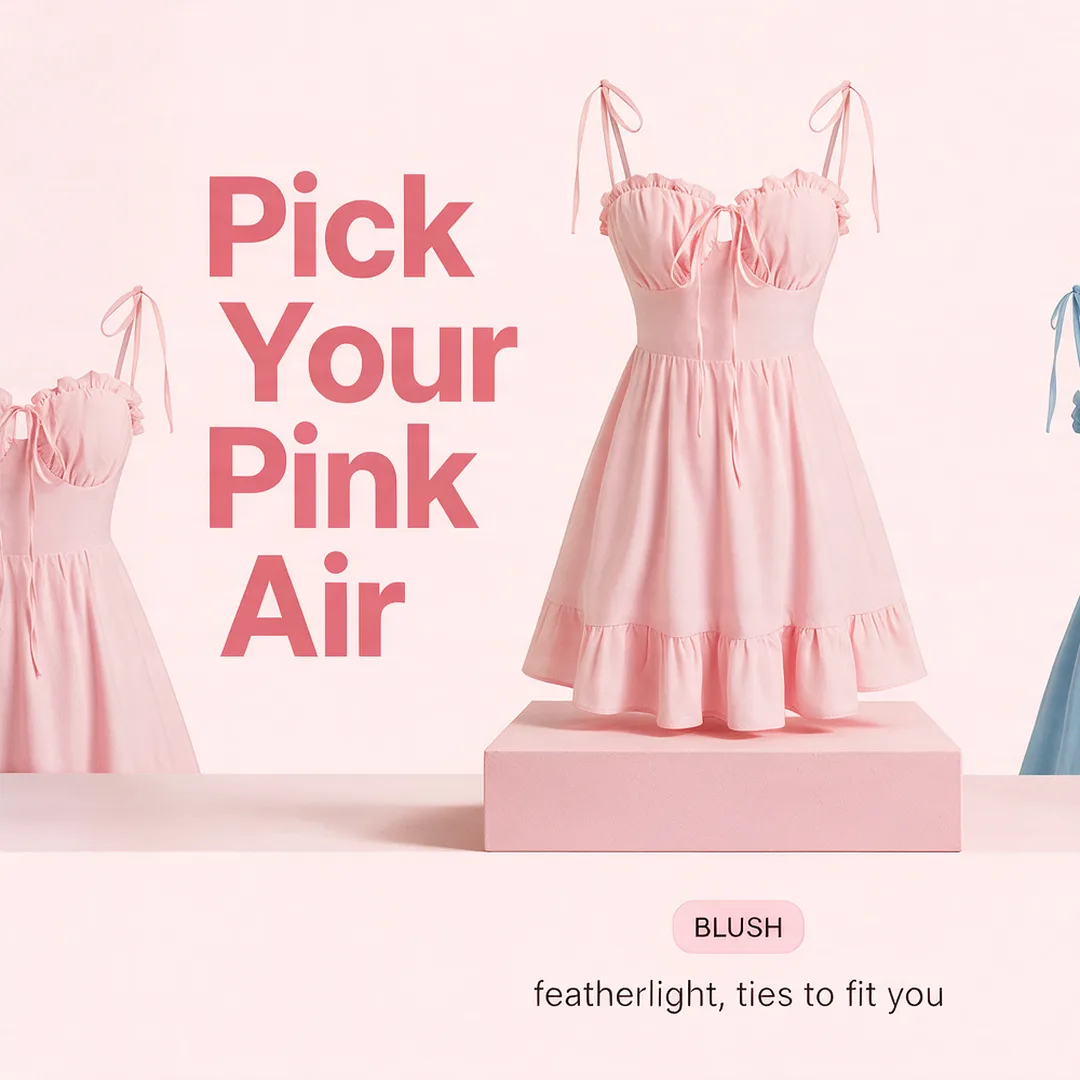
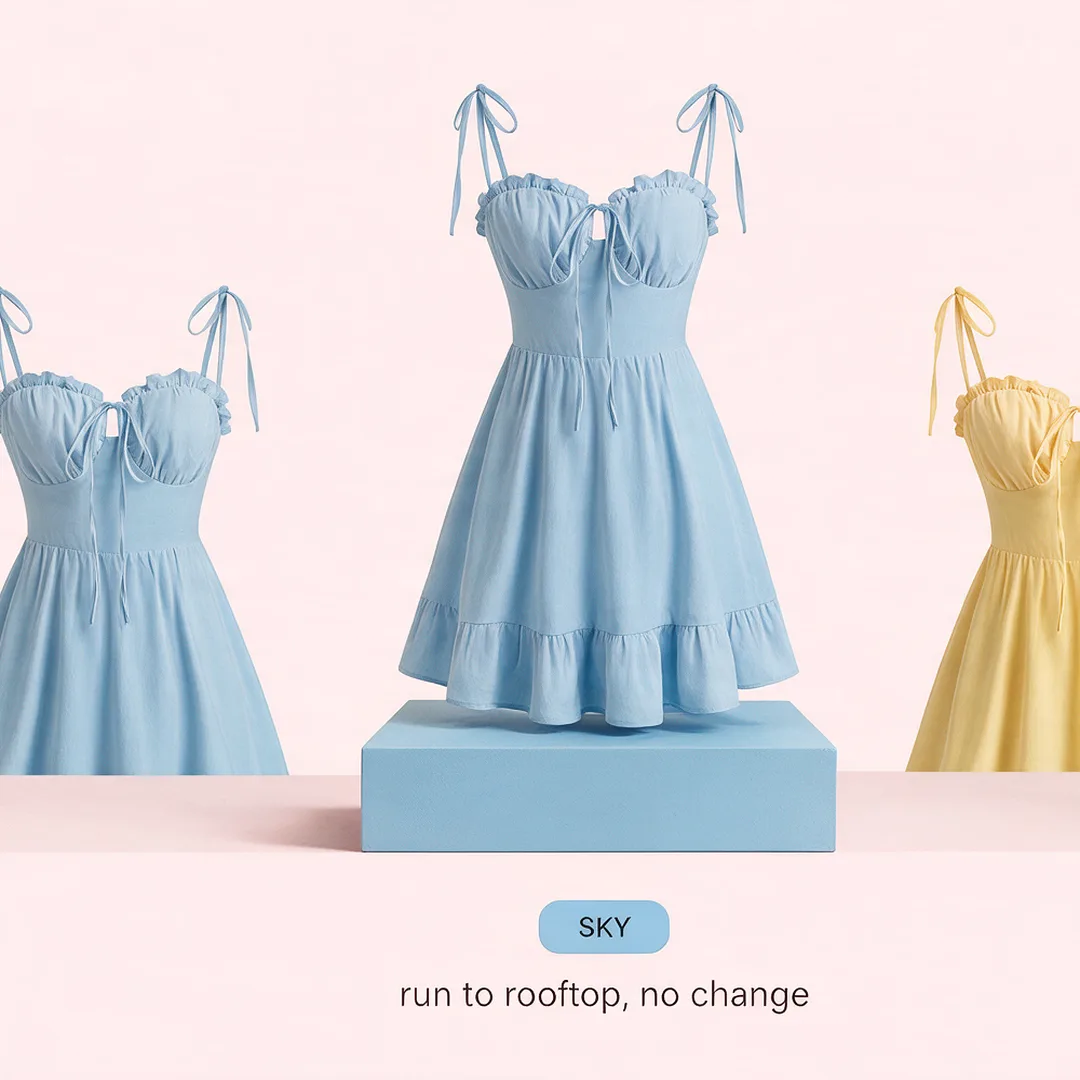
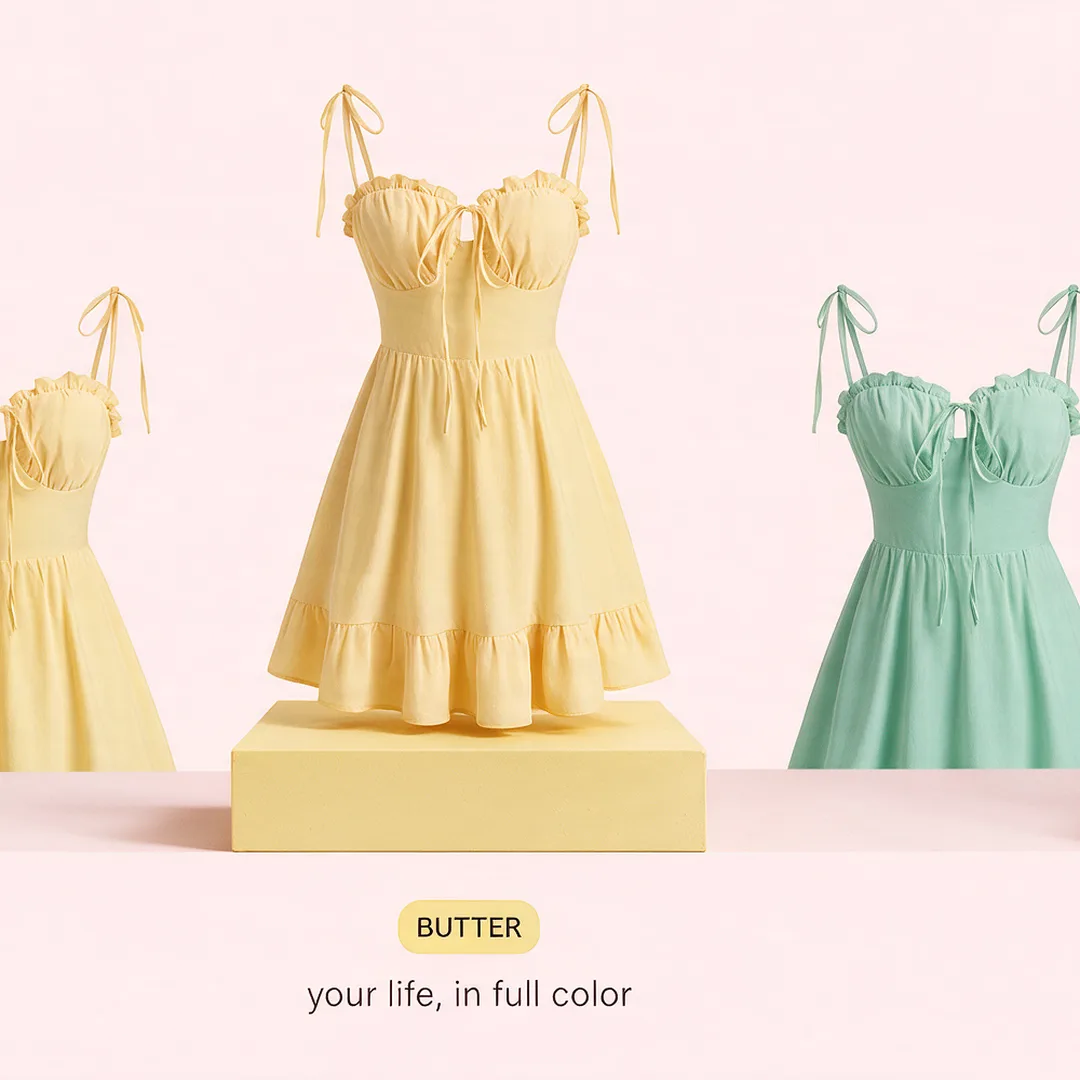
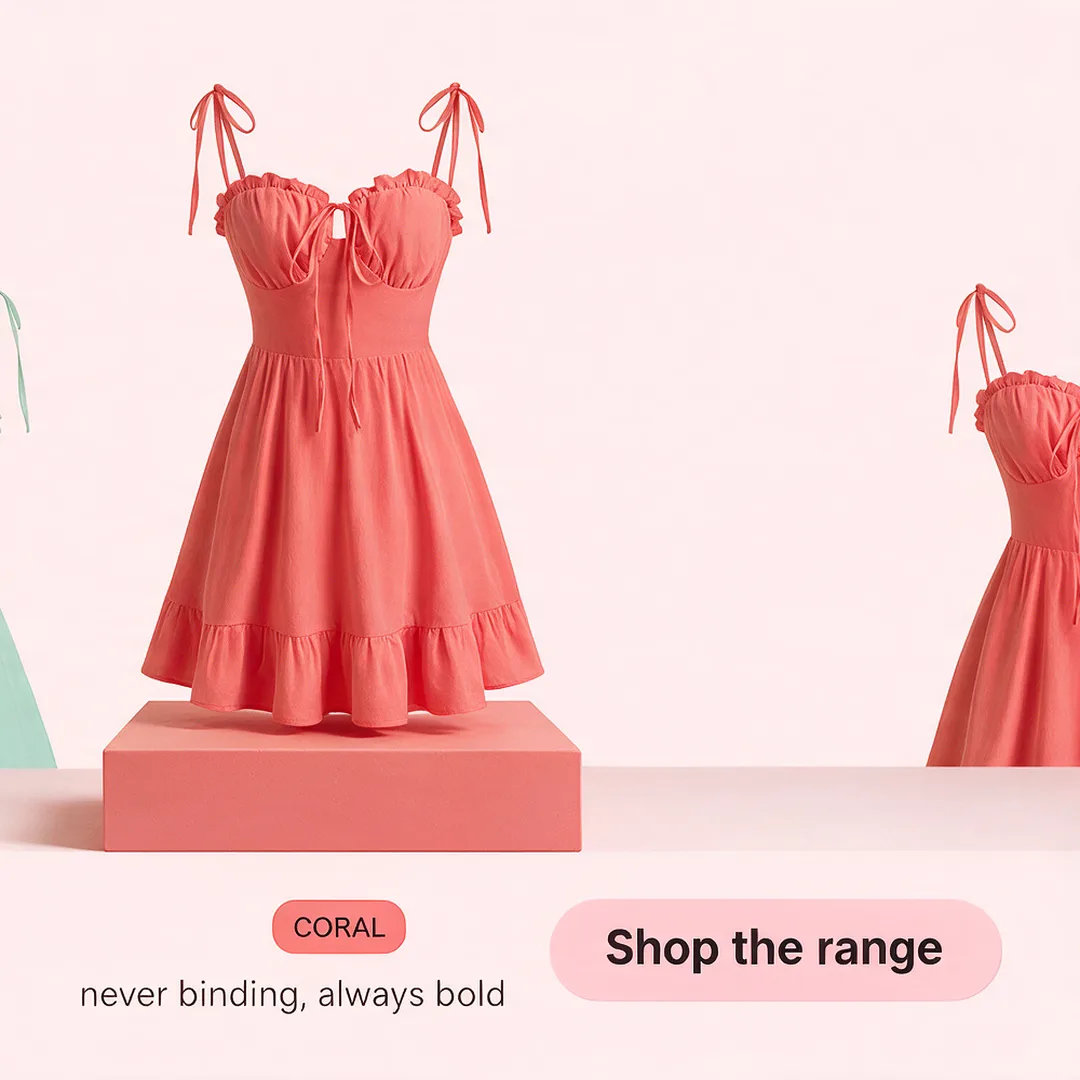
You choose board A. Approve & produce renders every card of that board at full quality, in the order the story reads. And because The Lineup is a Continuous Board, the whole carousel is created as one wide artwork and cut into cards — so a dress starts on one card and finishes on the next, the plinth runs the whole shelf, and nothing drifts between cards.
You've got the cards back, but you want a change on one of them.
Use the revision tool: draw on the card, request the change, and only that card re-renders.
Step 5 · Make a change
Got the cards back but want a change? Use the revision tool — draw on the card and request it
Say the feature card from another set is right except the callouts are too small. Open the revision tool, draw a circle around the part you want different, and type the change. Only that card re-renders; the rest of the sequence stays exactly as it was, in the same order.
Then you animate the cover, so the carousel stops the scroll.
One click turns card one into a short video that settles back into the still. Another click turns the whole carousel into one video.
Step 6 · Animate the cover
One click, and card one becomes a short video that settles back into the exact still
Every finished card has an Animate button. On a carousel it opens two choices. Animate this slide sends that exact card back and returns a short motion take — the subject moves through quick scenes, then lands on the card itself, text and all, and holds. The feed sees motion; the viewer is already swiping. Animate the full carousel assembles the whole set into one video from the cards you already approved, and Add music composes a jingle whose lyrics come from your own cards.



You pick the keepers and send them into the campaign.
The set stages in swipe order and lands in your client's ad account paused, waiting for your go.
Step 7 · Into the campaign
Heart the keepers, add them to the campaign, publish paused
The heart on a set selects the whole carousel, cards in order — the story you approved is the story that ships. Add it to the campaign and it stages on the client's Ad Campaigns page in swipe order. Publish, and it lands as a real carousel unit in the client's ad account, paused — and if you animated the cover, the video rides as card one. A person turns it on, and when it runs the numbers come back onto these exact cards.
Or you say the whole thing to Claude and let it run the steps.
One sentence runs the lane end to end, and the playbooks are named for the moment you're in.
Or · Say it to Claude
The whole lane in one sitting — or a playbook named for the moment you're in
Everything above can be said instead of clicked. One sentence to Claude aligns the story, sketches three storyboards on a live preview, produces the one you approve, stages it in swipe order and lands it paused in the ad account. Animating a cover stays your click in the app. The playbooks are named for the moment you're in, so you don't have to know the steps to start.
“Build the June drop carousel for the dress client — the three colourways as one seamless lineup, five cards, produce the best board and stage it paused.”
- Publishing needs the client's ad account connected to the brand kit first — Meta and TikTok each authorise once. Every publish lands paused.
- Card counts are honest. Each format offers the counts it can hold with quality — most run three to five cards; some lock tighter by design.
- Carousels run square, portrait or story. There is no landscape carousel, so the studio doesn't offer one.
- Turning a finished carousel into a video uses the artwork you already approved — nothing new is generated. Adding music composes something new, and the silent cut is always kept.
- Animating a card is a click in the app. Claude runs everything else on this lane, and points you at that button when a cover deserves it.
Pick Carousel Ads from the model menu. Write one line. Set the card count. Generate.